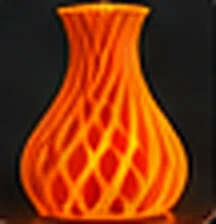
A few weeks ago, a customer messaged us a photo of the vase she'd just received. 'I love it,' she wrote, 'but I can see lines all over it. Is that normal?' It is — and it's the question behind this article. Those lines aren't a flaw in your piece. They're the fingerprint of how it was made.
What You're Actually Seeing
A 3D printer doesn't pour a vase into a mold. It builds it one thin layer at a time, drawing each layer with a line of melted plastic, then stacking the next one on top. Our standard layer is 0.2 millimeters tall — about the thickness of two sheets of paper. The parametric vase on our homepage is 300 layers tall. Every one of those layers leaves a faint edge where it meets the next. Look closely at any FDM print and you'll see them: the lines are the layers.
What makes lines more — or less — visible:
- Layer height — 0.2 mm is the everyday standard; 0.12 mm looks smoother but prints much slower.
- Curves — lines show most on gentle curves, like a vase, where each layer steps out slightly.
- Color — light and glossy colors catch the light and show lines more; dark matte colors hide them.
- Light — lines you can't see in a dim room appear under a bright lamp or in sunlight.
When Lines Are Normal — and When They're a Warning
Even, regular lines that follow the shape of the piece are normal. They should feel smooth when you run a finger over them, and the surface should look consistent from every angle. What isn't normal is when the lines stop being even.
- Gaps you can see through between lines — the layers didn't bond.
- Lines that wander or wobble instead of following the shape.
- Rough, blobby patches next to smooth ones.
- Layers you can peel apart with a fingernail.
If you spot any of these on a piece you bought, that's a print that failed — not a finish to live with.
If the lines are even and the surface feels solid, your print is fine — that's just how FDM printing looks. Lines you can see through or peel apart are the real problem.
Can the Lines Be Removed?
Yes — but every fix trades something. Printing at a finer layer height, like 0.12 mm, makes lines much harder to see, and it can add hours to a large print. Sanding and primer fill the lines in, and paint covers what's left. And orientation matters too: the top face of a print shows no layer lines at all, so we print the piece's most visible side facing up whenever the shape allows. There is no free lunch — only the right trade for what the piece is for.
What We Do at E&J
Most of our pieces print at the standard 0.2 mm, because for a desk piece, a gift, or a functional part, the lines are barely noticeable at arm's length — and finer layers would double your wait for almost no visible difference. For display pieces where the finish matters most, we print finer on request, and we say so before we start. And our product photos show the real finish, lines included, so the piece you receive looks like the one you ordered.
If you want the smoothest finish, tell us when you order:
- That it's a display piece, not a functional one.
- Whether it will sit under bright light or be handled every day.
- Whether you'd like it sanded, primed, or painted — we'll quote it before printing.
 Illustrative imagePLA Basic
Layer lines are the one thing every 3D print has in common, from a keychain to a vase. They're not a defect, they're the record of how the piece was built — 300 thin layers, one on top of the next, until the shape exists. Once you know what to look for, you can tell a good print from a bad one at a glance. And that's a useful thing to know, whether you're buying one piece or a hundred.
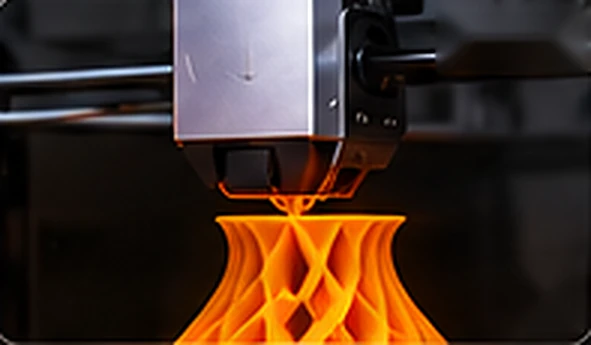
Want a smoother finish on your next piece? Tell us when you order — we'll print it finer or finish it by hand.
Browse the shop